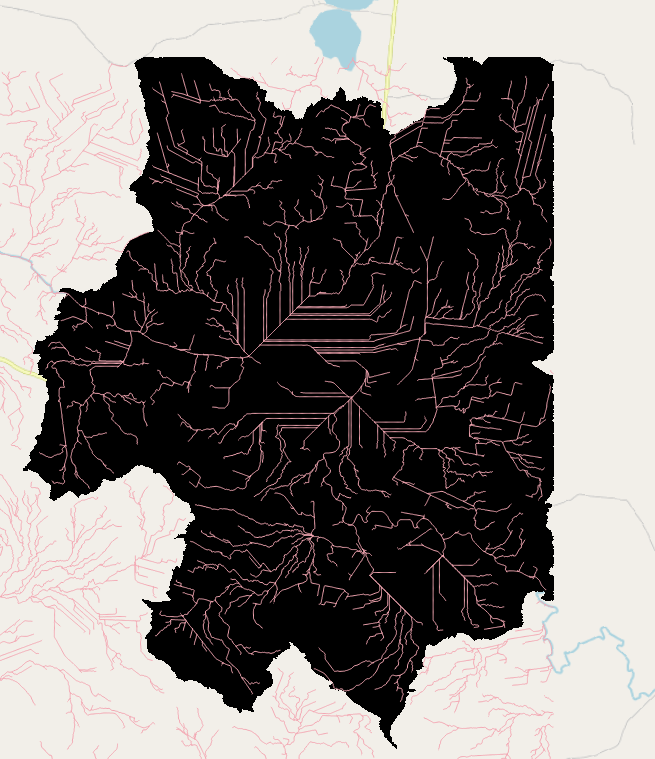
Calculating water basins with rasters in QGIS
One more time! Let’s continue the raster series with calculating water basins in QGIS – because we all love rasters, why not have one more part to our beloved raster series? What is the raster series? The first part focused on what are rasters and in the second part we delved more into analysis tools focusing on terrain modelling. The third part continued the hut saga into raster calculator and its uses.
This time around we’ll combine a few analyses and the raster calculator to see how to calculate water basins with SAGA tools in QGIS. Nowadays these tools are not native in QGIS, but they can be activated as a plugin.
Preparing the data
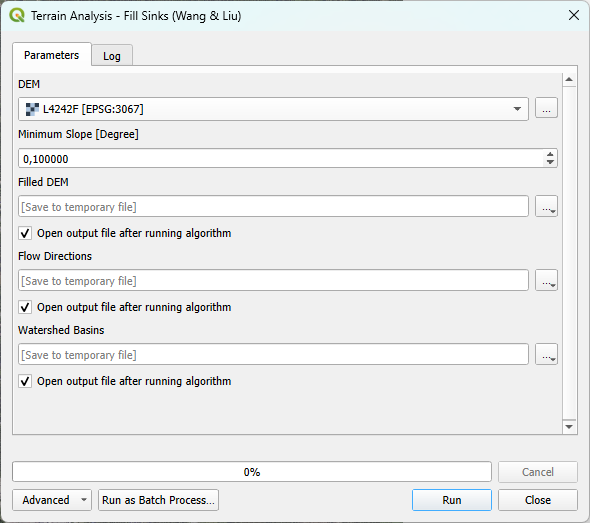
You’ll need an elevation model from the area of interest, the smaller the pixel size the better as it affects the resolution and accuracy of the results. In the example I use a 2m elevation model from National Land Survey of Finland, downloaded from MapSite. As there might be some holes in the data let’s fix that by using Fill sinks (Wang & Liu) in Saga tools. This tool finds and fills surface depressions for example sinkholes and giant’s kettles to have a smooth, downward flowing surface for calculating the basins.
Calculating the order of streams
To calculate waterbasins we need to calculate Strahler order that defines the hierarchical order of streams based on their size. To check if the results are somewhat realistic you can use a satellite image or OpenStreetMap and compare if the calculated stream sizes seem to be correct. Below is a visualisation of the stream order and if we compare the calculated streams to OpenStreetMap below, the bigger stream seems to follow the digitised one. The smaller the pixel size in your original DEM, the more accurate the calculated streams are.
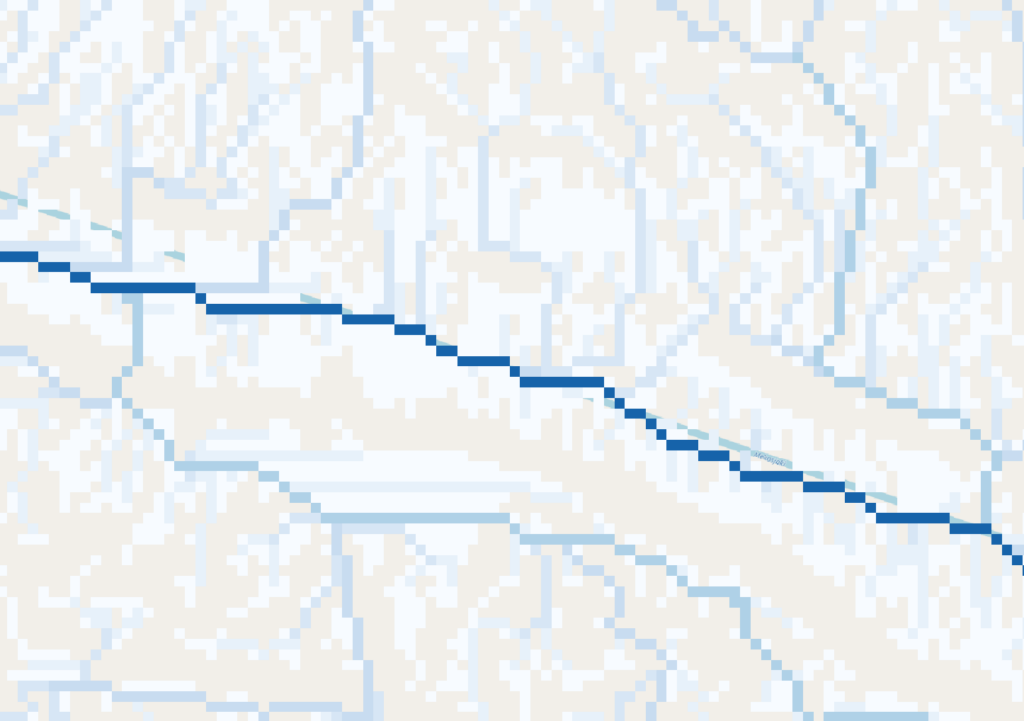
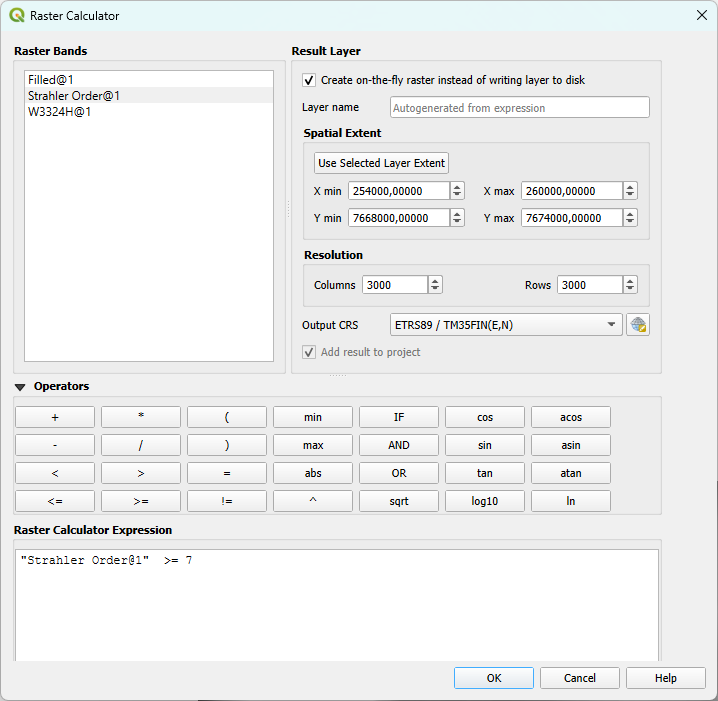
There are streams of different sizes and as we can see in the picture above, the biggest streams are the ones we want to use to calculate waterbasins. The different streams are identified with the raster values. As there are multiple streams in the calculated dataset, the smallest ones might not be correct or relevant so we can filter them out. And as we learned in the previous raster blog, the way to go is the raster calculator! You can test how many streams you want to use to calculate water basins, about half of the original amount gives a quite good accuracy with the water basin.
Finally seeing the water basins
And finally we are ready to calculate the water basin itself! But first… We need to select a big stream to calculate the water basin to. For the analysis we’ll need coordinates. Pick a stream and gather coordinates for the target stream and copy the coordinates to a notepad to be used in the next step.
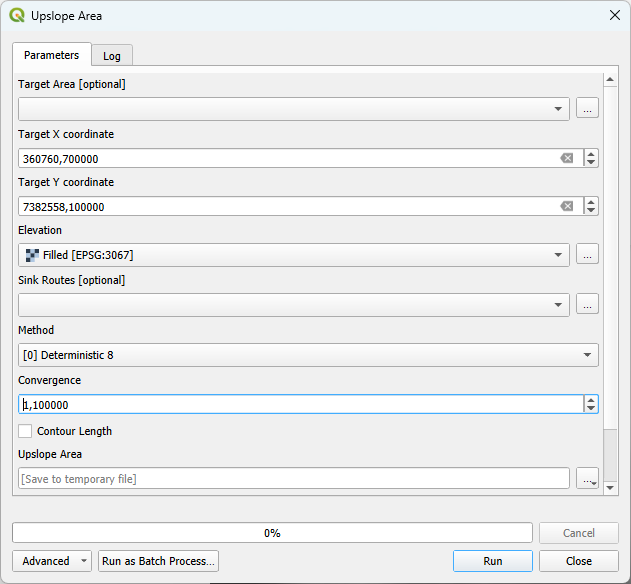
Open Upslope area -tool and paste the coordinates to X and Y targets and use the original filled DEM as elevation.
And to use the water basin a bit more easily we’ll vectorise it with (tool name?)
The vectorised basin might need a bit of cleaning but this is easy to do by deleting the small one-pixel areas that are not fully connected.
The final product is the vectorised water basin. Here the streams are visualised in color to show how the streams work in the water basin!